EstimationLine
A version of the number line psychological test for the iPad®.
EstimationLine is a fully configurable, iPad version of a popular estimation test used with children. It has been field tested with very young children by researchers at Carleton University.

Features - Why you should use it
Info & Data
EstimationLine collects and stores important data about the participant with their performance data. Before beginning a session you can enter information such as birth date, gender and a unique ID.
All data is recorded by the app and output in CSV format. This makes it easy to analyze in Excel, SPSS or any other data analysis program. The format is specifically designed to be easily to analyze in statistical analysis programs like SPSS or R.
Configurable
Many parts of the app are configurable including stimuli, instructions, test battery sequencing and button text.
Because of this, EstimationLine can be adapted to fit any situation in which a number line estimation test is required.
Proven Defaults
EstimationLine comes with default stimuli designed by researchers and used in a study by researchers at Carleton University.
Well Documented
EstimationLine has extensive documentation both on how to use the app and how to customize it.
Visit the Documentation »How it works - What does the app do?
How does the test work?
In the EstimationLine app, the number line is shown with a 0 above the left end of the line and a configurable endpoint (usually 10, 100 or 1000) above the right end, with the stimulus or target number for each trial displayed above the line. The participant (usually a child) is asked to mark the location on the number line where they think that target number belongs. In this iPad app version, the child touches the number line with their finger to mark their estimate of the target location. A red vertical mark is displayed to show their estimate.
Stimuli and Sets
The app uses configurable sets of target stimuli. Each set has many configurable aspects: the trial endpoint, and the group of target or stimuli numbers that will be shown as trials in the set. After each set of trials, an option to continue to the next set is displayed for the experimenter, so that the number of sets can be adjusted for each child, based on either a predetermined design or on the child's performance. All aspects of the tests can also be pre-configured via iTunes.
The stimuli sets provided as app defaults increase in endpoint size, complexity and number of trials. These sets of default target stimuli were created to cover the full range of development: from the pre-kindergarten children (endpoints of 10) to older grades five and six students (endpoints of 100). Each set of stimuli can be modified to meet the experimenter's needs. The app randomly shuffles the target stimuli at the start of each set to randomize the display order of the trials. The end-points of the number lines for each set have default values of 10, 20, 100 and 1000.
The app can be configured with many testing sequences. This can allow preparation for multiple ages of subjects, different languages of subjects, different types of tests and many other uses that can meet your testing needs.
Time-Saving - Paper is the past.
EstimationLine spares the experimenter the considerable work of converting pencil marks on paper into usable output data files. The output data for each trial is written into a file in CSV format. The files can be retrieved via iTunes or sent using email. Each trial output includes the participant's identifying information and the endpoint, the stimuli that was displayed and the participant's estimate. The estimate is computed based on the endpoint and the location they touched. The estimate is shown with up to four decimal points as a percentage of the line.
Screenshots - Because a picture is worth 1000 words
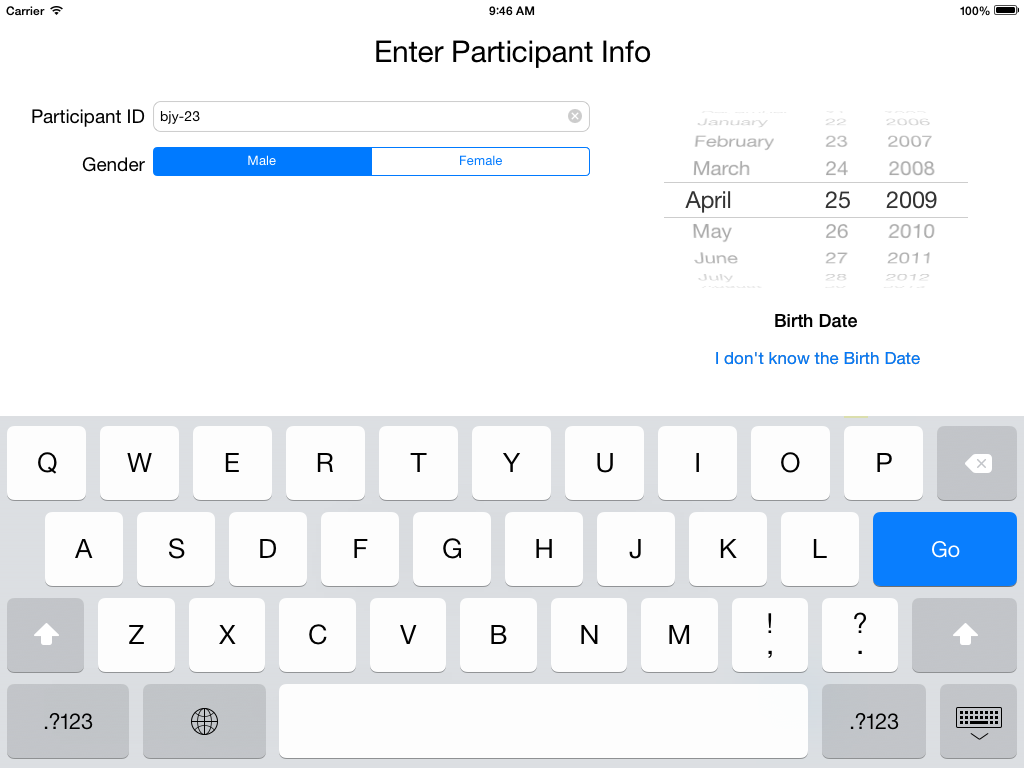
Enter Participant Info
- Enter the Participant ID code
- Record the Gender
- Select the Birth Date
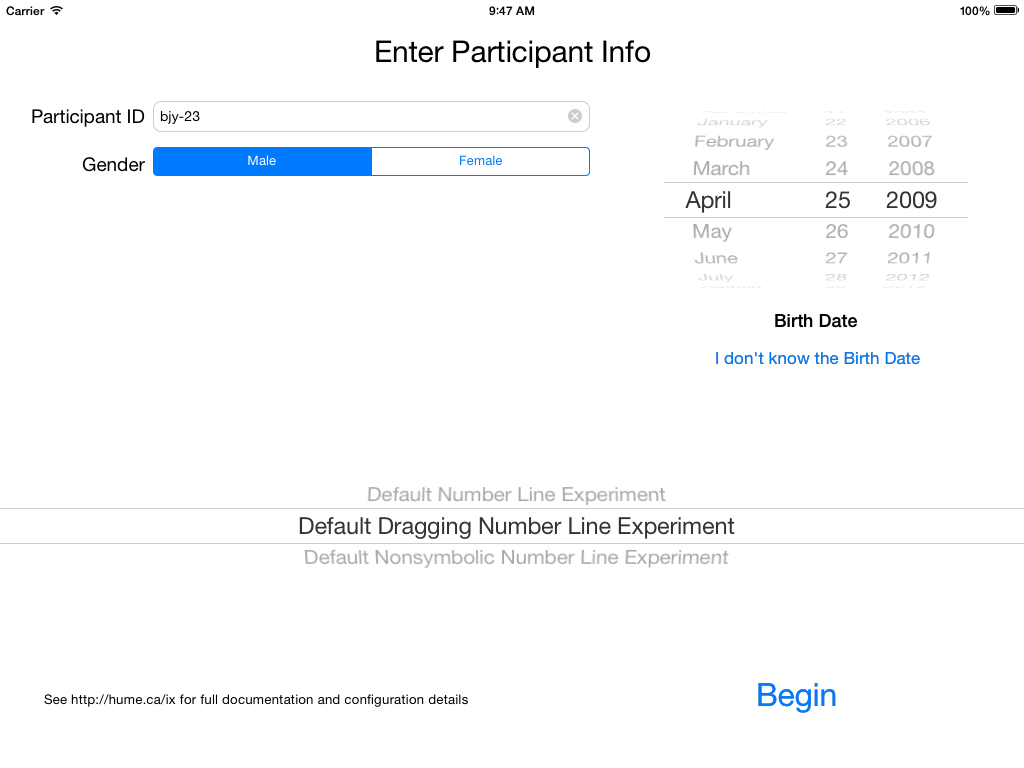
Select an Experiment Optional
- Use the selector to choose an experiment
- Press the "Begin" button.
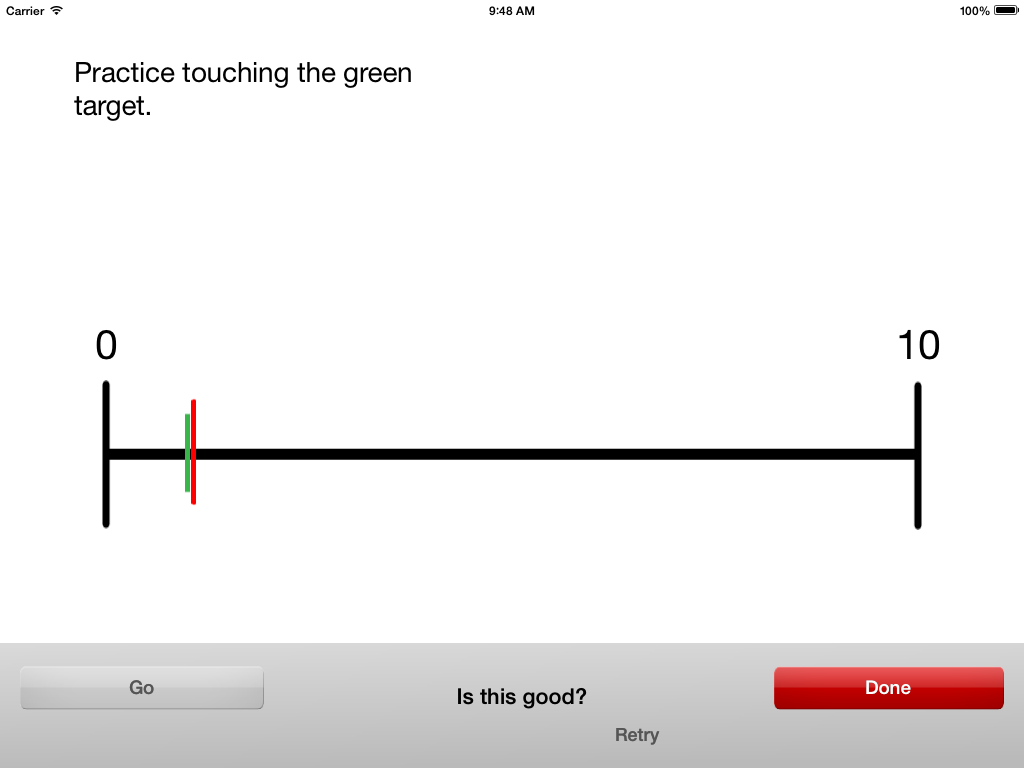
Practice Time Touch
- Green line is a touch target.
- Red line is result of practice touch.
- Press the "Done" button to move to next practice.
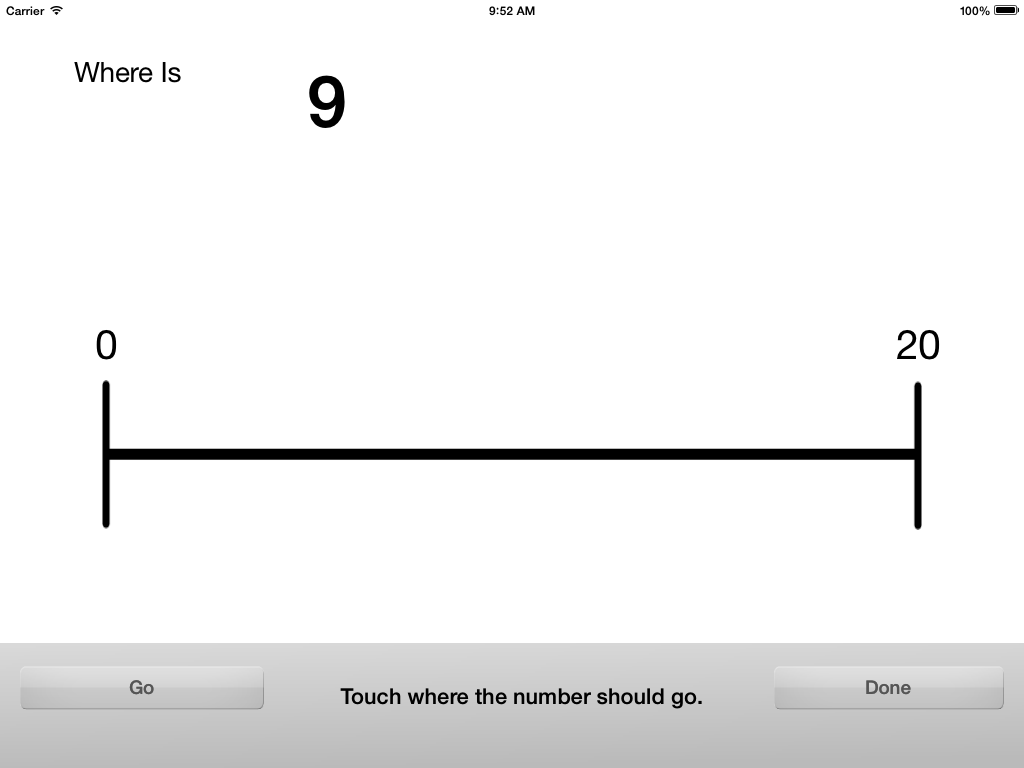
Trial Presentation
- Number is presented after the "Go" button is pressed.
- Not presented in the center so there is no visual help.
- Times of all significant events are recorded.
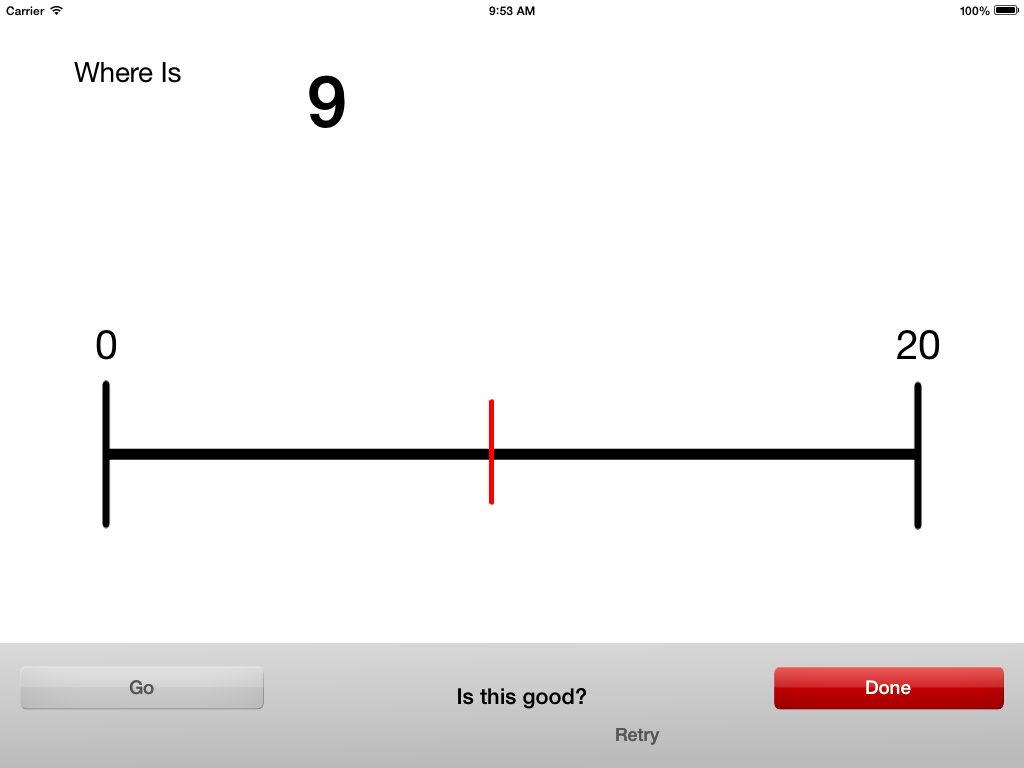
Answer Chosen
- Red marker where the selection was made.
- Press "Done" to move to the next trial.
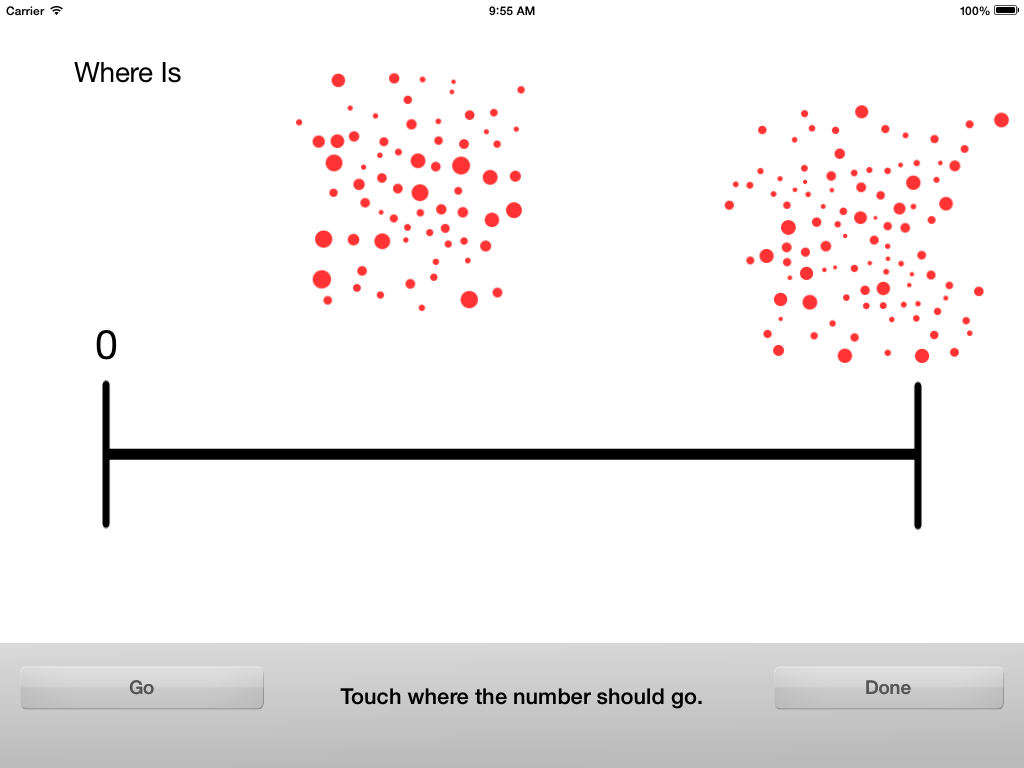
Non-symbolic Trial Presented
- 100 dot cluster at the end of the number line.
- A cluster question is presented.
- This is too hard for children.
© Tristan Hume and Steve Hume 2014.